All themes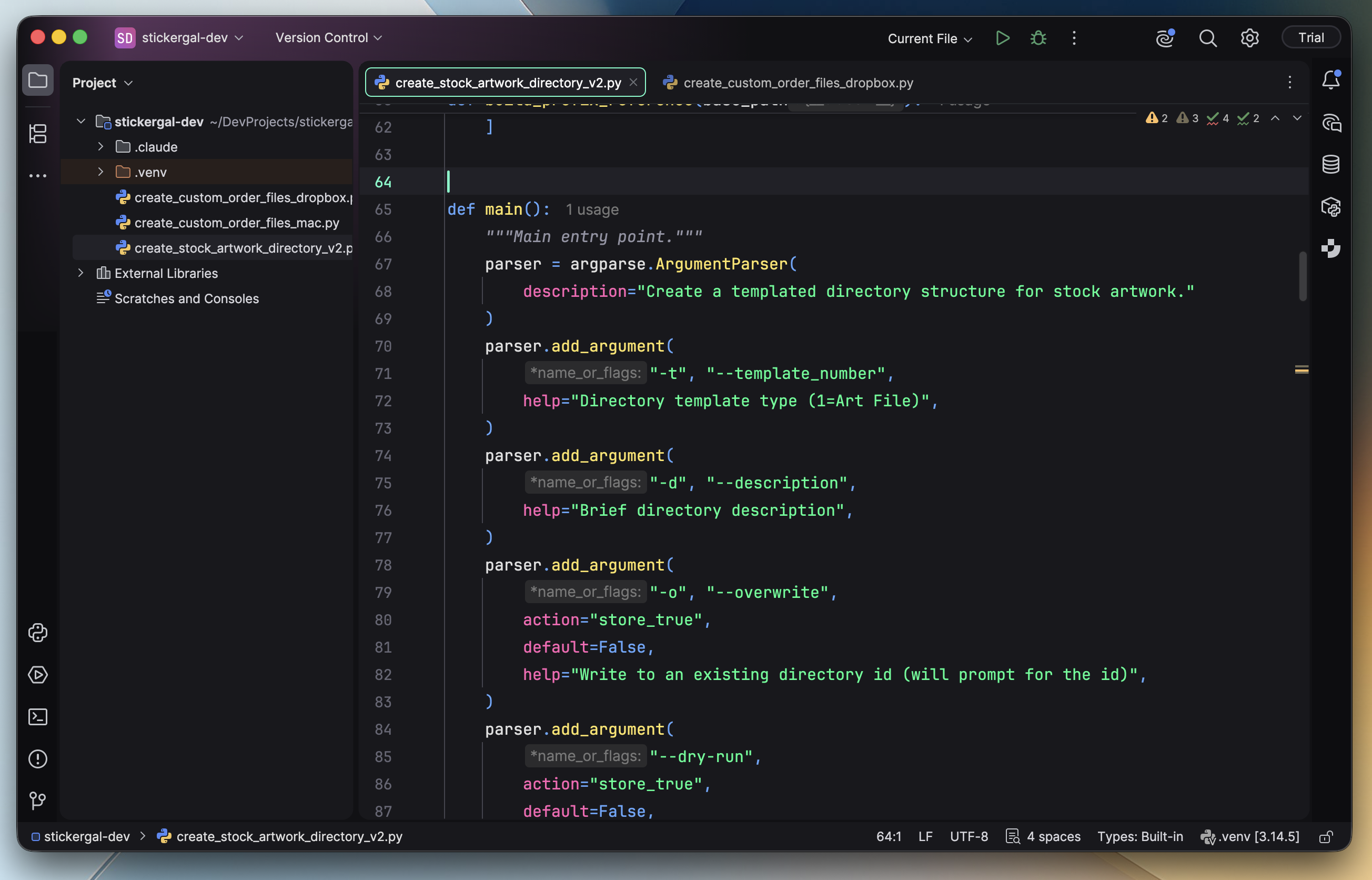
Nicely Neon Islands captured in PyCharm, with Python syntax and matching editor, sidebar, and toolbar colors.
FREE DARK THEME / EDITORS
JetBrains IDE.
A free dark theme plugin for JetBrains IDEs, including PyCharm, IntelliJ IDEA, and WebStorm. Neon syntax and matching sidebars for IDE versions 2025.3+.
MAKE IT YOURS
Install in JetBrains IDE
Download the Nicely-Neon-JetBrains.jar plugin. Requires a JetBrains IDE version 2025.3 or newer, including PyCharm, IntelliJ IDEA, or WebStorm.
Open Settings / Preferences → Plugins → gear menu → Install Plugin from Disk. Select the JAR and restart when prompted.
Open Appearance & Behavior → Appearance and choose Nicely Neon or Nicely Neon Islands.
If the editor uses a different color scheme, select Nicely Neon under Editor → Color Scheme.
KEEP THE COLOR GOING